Automatic data collection
Open the shipment. Your data is waiting.
Add the shipment PDFs together. Vita collects shipment fields and goods rows so you can start with the review.
 Vita Track
Log in
Vita Track
Log in
For Lithuanian importers and customs brokers
Turn invoices and shipment documents into checked data for Avilda. Review the source, then hand over an editable import file and Excel workbook.
One shipment of yours. A personal review. Free of charge.
+370 692 09432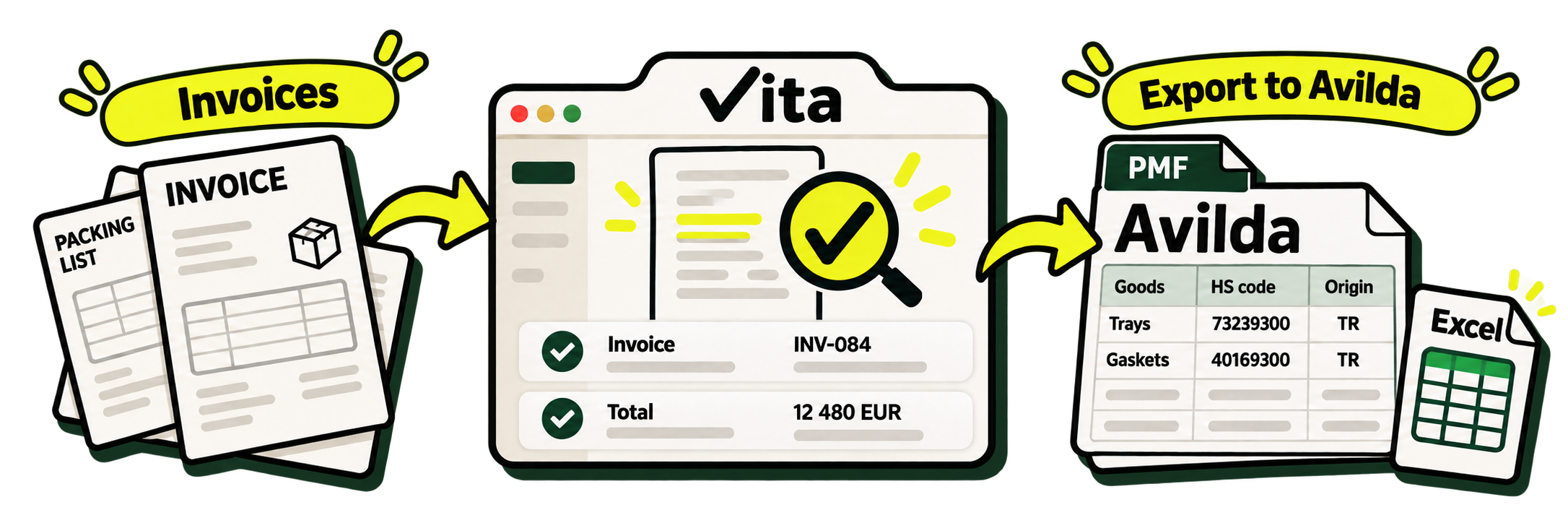
Invoices → your review in Vita → Avilda. Excel comes with it.
Download Avilda exampleHow it works
Follow the whole flow: add documents, check original sources, confirm values and download the result.
 vita
INV-DEMO-2026-084
vita
INV-DEMO-2026-084
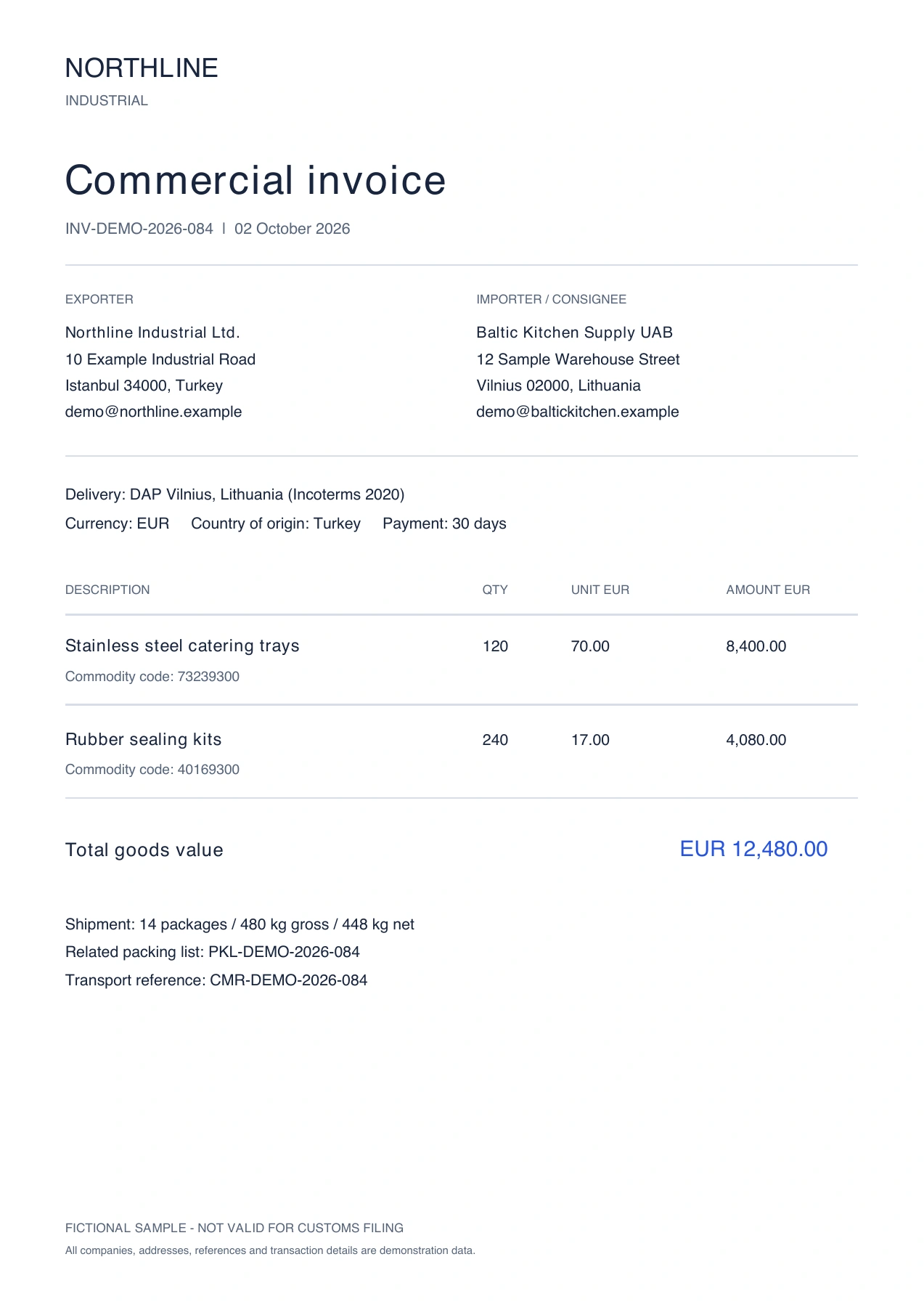
The same value in the original document
See the selected field beside its original source. Correct it, or confirm and move straight to the next field.
A condensed demonstration using fictional shipment data. Processing time is shortened.
A familiar working day?
Invoice number. Product description. Quantity. Weight. Origin.
It is all in the documents. Yet preparing an import means finding, copying and checking it again. And when someone asks “where did this amount come from?” — you open the PDF once more.
Vita brings documents, collected data and their review into one workspace.
Add the shipment PDFs together. Vita collects shipment fields and goods rows so you can start with the review.
Select a field to see the highlighted location in the original. Correct or confirm it, then move straight to the next.
Field statuses and change history stay with the shipment. Pick up your work knowing where you left off.
Vita uses the product description, material and intended use, then checks suggestions against EU TARIC. Your specialist chooses the final code.
Hand over an editable Avilda import file and an Excel workbook. Your broker completes the customs decisions and submission in Avilda.
Avilda v26.9.66c and Excel · fictional shipment · no account needed
Editable PMF · Muitinė / aviCUSTOMS v26.9.66c
The same sample documents used in the walkthrough.
We are preparing direct iMDAS integration. Today, Vita helps you collect, check and export your data. Customs declaration submission is planned.
Let’s discuss your import processExtract and review document facts, then hand over an editable Avilda file or Excel workbook.
Declaration submission and status tracking inside Vita.
Direct customs submission is not available yet. Today, you declare through your company’s or broker’s usual process.
Bring the documents for one shipment. We will prepare the review and walk through the process together, all the way to export. Leave your work email to arrange the demonstration.
See it first. Then decide.
Collected from the documents you provide and prepared for review.
We will check sources, corrections and remaining questions together.
Editable files you can evaluate with your team and broker.
DUK / FAQ
Lithuanian companies importing goods, their logistics teams and customs brokers preparing import data from supplier documents.
A person must review every result. Vita shows the source and flags uncertainties. Correcting or confirming a field updates its review status. An HS suggestion does not replace a specialist’s decision.
Not directly. Today you can extract and review shipment facts, then download an editable Avilda v26.9.66c handoff or Excel workbook. Your broker completes and submits the declaration in Avilda. The PMF format has been checked with the client parser; the complete import still needs a pilot check.
Sample documents from one shipment: a PDF invoice, packing list or consignment note. Scanned PDFs work too. The demonstration is free; product pricing and next steps are discussed separately.